|
|
PRESENTING THE IMPROVEMENTS IN VERSION 1.251 OF TOWSOFT Update scheduled on December 9 at 7:15AM (EST) |
|
|
OBLIGATIONS: MIN. QUANTITY OF PICTURES AT A SPECIFIC CALL STATUS |
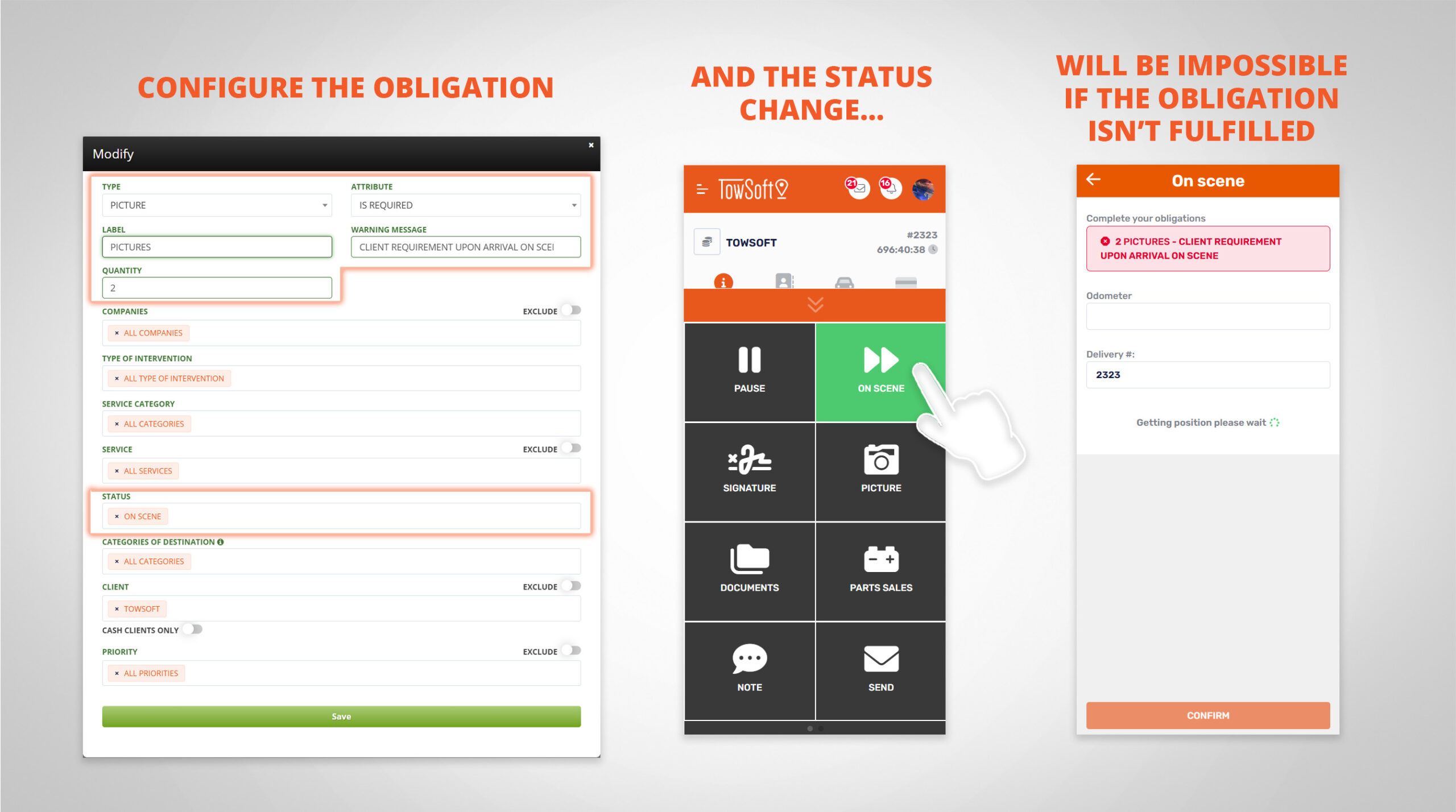
In response to requests from some of your clients, you can now require your drivers to insert a minimum number of pictures at a specific status of the call. |
|
|
|
* Setting an obligation for a minimum quantity of pictures has been possible for a while, but it validated the condition at the level of the entire call and not that the pictures had been added at a specific status. |
|
How to test?
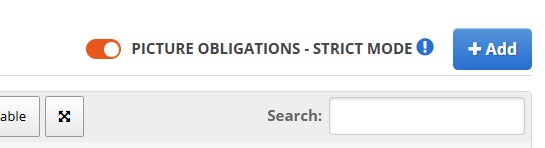
PREREQUISITES: - Enable the "Strict Mode" for picture obligations (see image below) using the switch in the top right corner of the obligations table.
[ATTENTION] If you already have active picture upload obligations, note that this will affect how -or rather when- your drivers need to upload their pictures.
OUR RECOMMENDATIONS: Avoid having this type of obligation set on multiple call statuses that may be part of the same call workflow, and make sure to inform your drivers before making the change!
|
|
|
PROCEDURE: - As an administrator, go to Settings > Obligations, configure an obligation of the "Pictures" type with the attribute "is required".
- Next, enter the required quantity and then the remaining parameters concerning the context of application of the obligation, including - obviously - the call status.
- Test a call for which the parameters of the picture obligation will apply to.
|
|
|
|
TS4 - CONSULTATION & SENDING OF COMPLETED DISCLAIMERS |
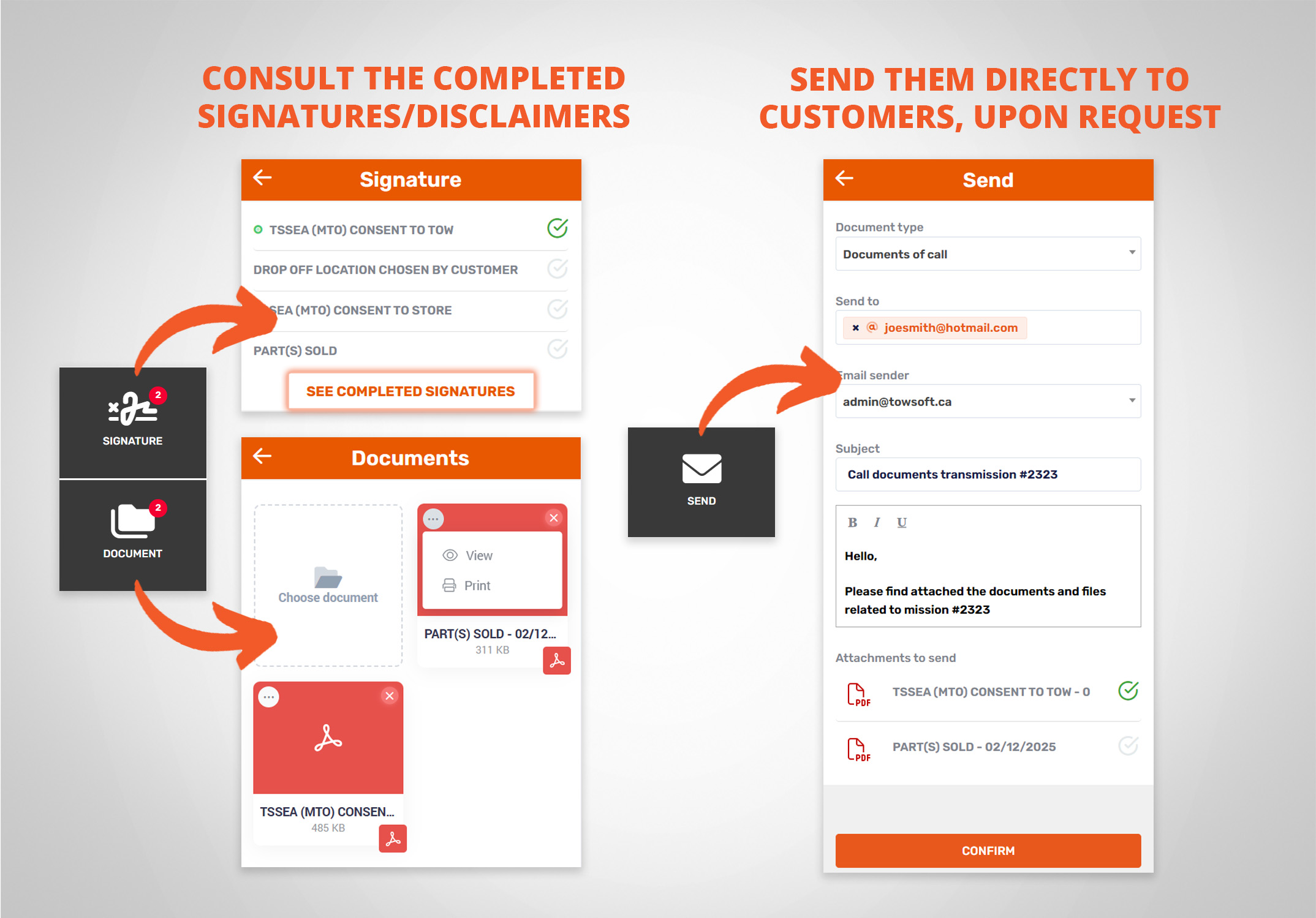
Your drivers will be able to view the completed disclaimers/signatures and send them individually by email, if requested by customers. |
|
|
|
How to test?
PREREQUISITES: - Have a completed disclaimer related to the call
PROCEDURE: - In the actions menu of the call screen, click on the "Documents" option, then the ellipsis in the upper left corner to view the disclaimer in question (or any other document).
- To send it, via the actions menu, click on "Send", then select the "Documents of call" option and then the specific documents that need to be sent.
|
|
|
|
MOBILE QUICK SEARCH + VIN & PLATE SCANNER |
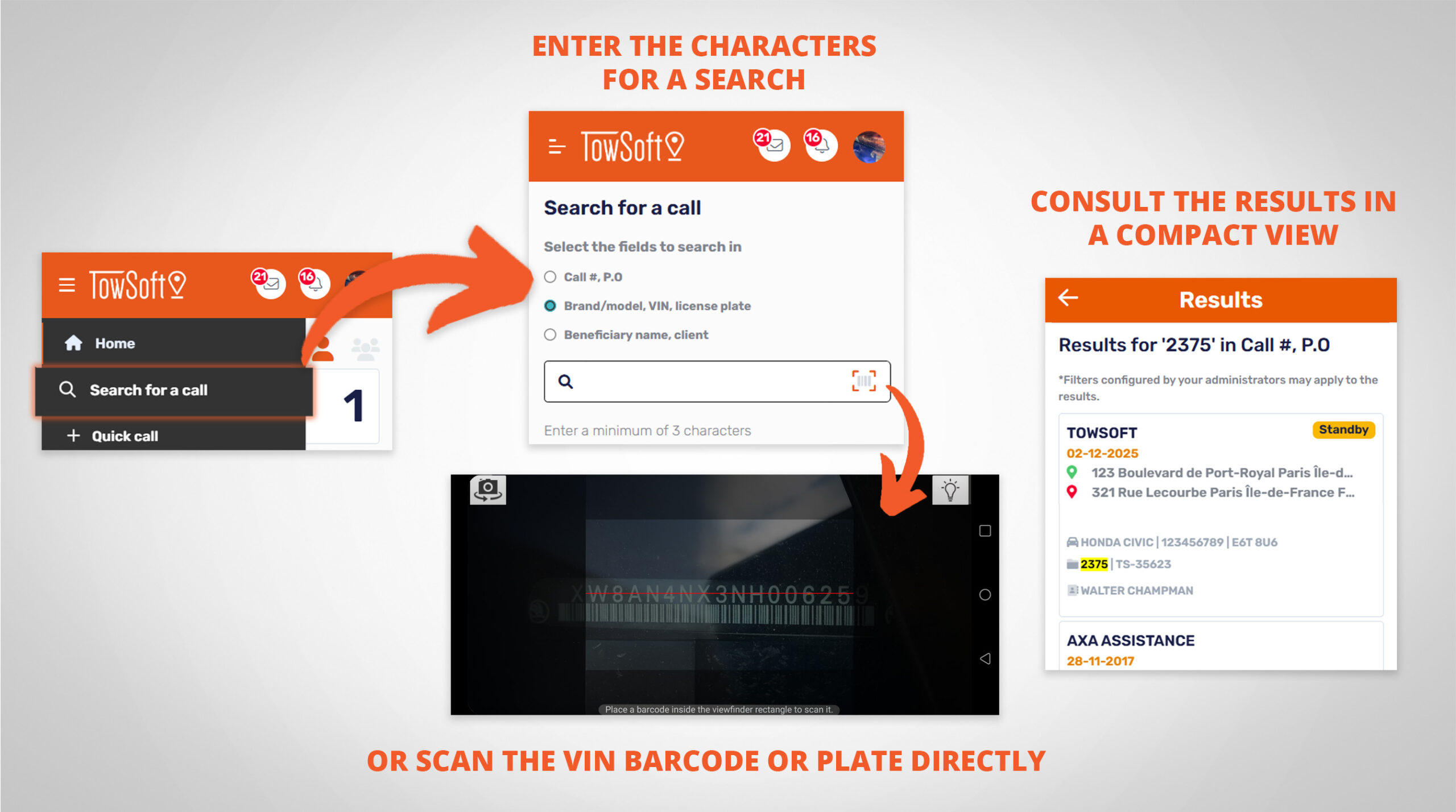
We've integrated quick call search on mobile! Regardless of the call status, select a group of fields (call info, vehicle, or customer), enter a minimum of 3 characters for your search, and see the results.
BONUS: Use the new feature to scan a vehicle's VIN (barcode) or plate with your mobile camera and enter the information directly into the search field. |
|
|
|
* App update required. Plate scanner still unavailable on iPhone (iOS) at launch. Will be soon be available. |
|
How to test?
PROCEDURE: - In the TS4 mobile app's administrative menu, click the new "Search for a call" option.
- Select a field group, then enter a minimum of 3 characters to perform the search. View the results in the compact view, and swipe left on a call to access the option to view it.
- Alternatively, select the vehicle information group, which will display the icon for the mobile scanning feature. Choose the information to scan, and once captured, it will automatically populate the search field.
|
|
|
|
|
|
|
|
INTRANET / WEB ORDERING PORTAL - ACCESS TO DISCLAIMERS Are you using the intranet / web ordering portal? Give "Premium" access to the users you create at your partner clients to allow them to view the completed disclaimers/signatures for a call.
|
|
|
|
TOWSOFT MESSENGER: CLICKABLE WEB LINKS The TowSoft Messenger chat will ensure that web links (www.) inserted in your messages are converted into clickable links once published. |
|
|
|
QUICKBOOKS ONLINE: MAPPAGE DE CHAMPS PERSONNALISÉS Si QB online est votre logiciel comptable, vous apprécierez la nouvelle possibilité de mapper des champs issus de TowSoft vers vos champs personnalisés du côté du système comptable. Faites en la demande à notre équipe de support! |
|
|
|
|
|
Follow us on social media |
|
|
.png)